


MEGA
4.616.64K Reviews
App Specs
- Version
- Varies with Device
- Updated On
- License
- Free
- Downloads
- 100,000,000+
- Developer
- Mega Networks LLC
- Categories
- Productivity
- Platform
- Android, iOS
Screenshots
 Analysis by AppCompare
Have you ever found yourself running out of storage on your phone at the worst possible time? I know I have. That’s when I stumbled upon MEGA, an app that promised to solve all my storage woes. After using it for a while, I’m here to give you the lowdown on what it’s like to use this cloud storage service.
First Impressions
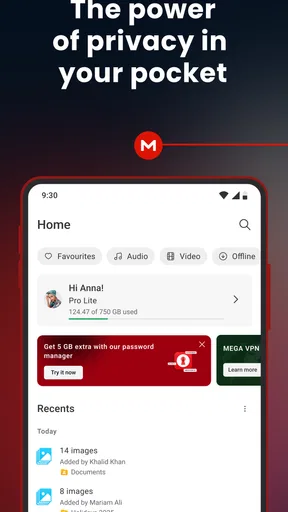
When I first launched MEGA, I was immediately struck by its clean and straightforward interface. It’s not overloaded with unnecessary features, which is always a plus in my book. The app guides you through the setup process, making it super easy for even the least tech-savvy among us to get started. A quick download and sign-up, and I was uploading files in no time.
Storage Galore
The biggest draw for me was the generous storage space that MEGA offers. With a free account, you get a substantial amount of storage compared to other cloud services. And if you need more, there are plenty of subscription options to choose from. Whether you’re storing photos, videos, or important documents, you’ll find a plan that suits your needs.
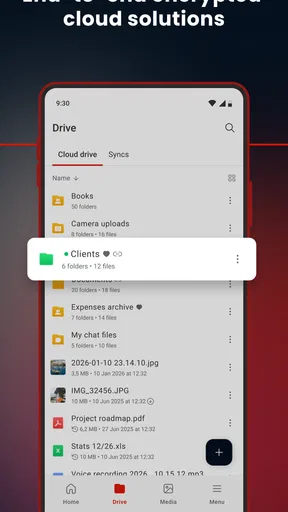
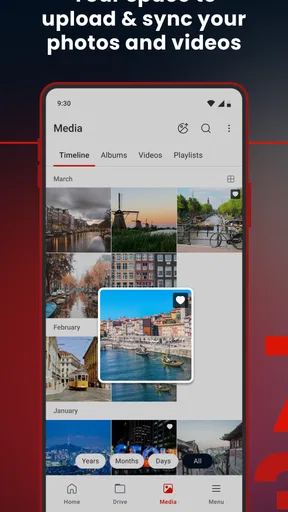
What’s really impressive is the seamless way it handles uploads and downloads. I tested it with files of various sizes, and everything uploaded quickly and without a hitch. Plus, you can easily organize your files into folders, making it a breeze to keep everything neat and tidy.
Security Features
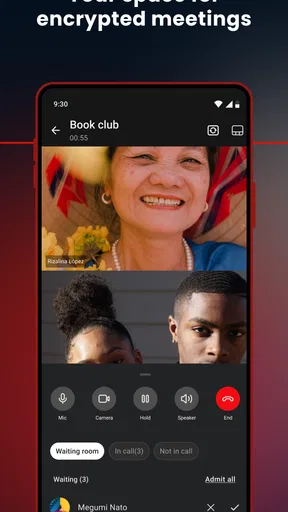
Now, let’s talk about security. We all want our data to be safe, right? MEGA takes this seriously with end-to-end encryption, meaning only you have access to your files. This is particularly reassuring for anyone storing sensitive information. I also liked the option to set up two-factor authentication, adding an extra layer of protection.
One thing I noticed during my time with the app is how it emphasizes privacy. Unlike some other services, MEGA doesn’t mine your data, which is a huge relief in today’s digital age.
Sharing and Collaboration
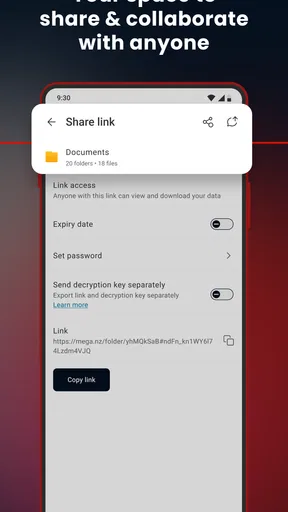
If you’re someone who frequently shares files or needs to collaborate with others, MEGA has got you covered. Sharing files is as simple as generating a link, and you can set permissions to control who can view or edit your files. I shared a couple of large video files with friends, and they were impressed by how quickly they could access them.
Worth Reading Before You Choose

Flipboard Shows What News Apps Must Do Beyond the Feed

Switching to Android Auto Means Rethinking Your Driving Routine

Google Calendar Makes a Crowded Week Easier to Manage

Ludo King Makes the Most of the Minutes Between Plans

Baby Panda World Brings Quick Play to Modern Phones, but Its Game Library Feels Busy

ESPN’s Live Game View Makes Following Close Games Easier
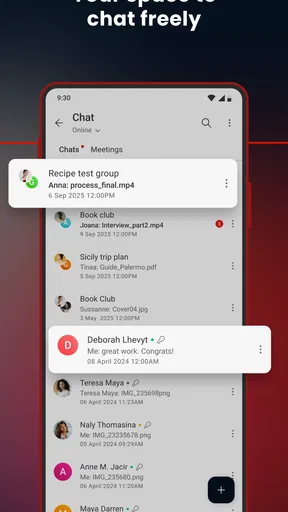
For collaborative projects, you can invite others to join folders, making it easy to work together on documents or presentations. It’s a handy feature for both professional and personal use.
Mobile and Desktop Experience
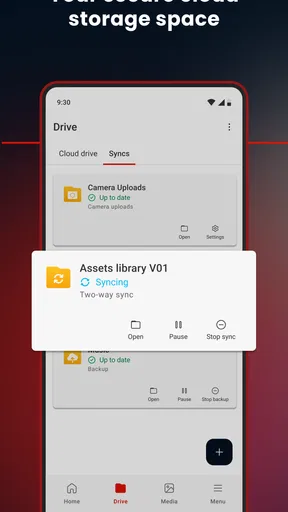
The good news is that MEGA isn’t just limited to your phone. There’s also a desktop version, which syncs seamlessly with the mobile app. It’s perfect for those times when you need to move large files between devices. I found the desktop app just as intuitive as the mobile version, with a similar look and feel.
On mobile, the app is responsive and works well even on older devices. I tried it on both Android and iOS, and the experience was consistent across platforms. Thumbs up for that!
Final Thoughts
Overall, I’d say MEGA is a solid choice for anyone in need of reliable cloud storage. With its generous free tier, robust security features, and user-friendly interface, it ticks all the boxes for me. While there are other cloud services out there, the privacy and storage capacity that MEGA offers make it a standout option.
If you’re tired of seeing those "storage full" notifications, give MEGA a try. It might just be the storage solution you’ve been looking for. Happy uploading!
Pros
- Generous free storage space available.
- High-level encryption ensures data safety.
- Cross-platform compatibility.
- File versioning prevents data loss.
- Easy sharing with link options.
Cons
- Limited monthly transfer quota on free plan.
- Interface can be confusing for beginners.
- No real-time collaboration features.
- Paid plans can be pricey.
- Occasional sync issues reported.
FAQs for MEGA
What is MEGA and how does it differ from other cloud storage services?
MEGA is a cloud storage service known for its emphasis on security and privacy. Unlike some competitors, MEGA offers end-to-end encryption, meaning only you can access your files. This focus on privacy helps users feel secure when storing sensitive data. Additionally, MEGA provides generous free storage and competitive paid plans, making it appealing for both casual and professional use.
How much free storage does MEGA offer, and what are the paid options?
MEGA offers a generous 20GB of free storage to new users, which is more than many other cloud services provide. If you need more space, MEGA’s paid plans are quite flexible, ranging from 400GB to 16TB. These plans come with additional features like increased transfer limits, making them suitable for users with larger storage needs.
Can I use MEGA on multiple devices, and is it compatible with all platforms?
Yes, MEGA is designed to be used across multiple devices and is compatible with various platforms, including Android, iOS, Windows, macOS, and Linux. The app allows seamless syncing of files across devices, so you can access your data anytime, anywhere. This cross-platform compatibility makes MEGA a versatile choice for users with diverse tech ecosystems.
How secure is my data on MEGA, and what encryption methods are used?
MEGA prioritizes user security by employing end-to-end encryption. This means your data is encrypted and decrypted only on your devices, ensuring that even MEGA cannot access your files. The encryption keys are stored on your devices, adding an extra layer of security. This robust encryption approach makes MEGA an excellent choice for privacy-conscious users.
What should I do if I forget my MEGA password, and is there a recovery option?
If you forget your MEGA password, it can be challenging to recover your account due to the platform’s strict security measures. MEGA does not have access to your password or encryption keys. However, you can use a recovery key provided during account setup to regain access. It's crucial to store this key securely, as losing it may result in permanent data loss.


